

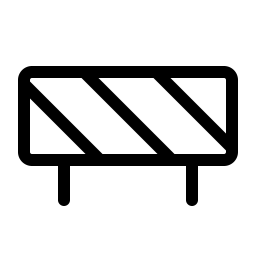
Icône Barricade Light
ph:barricade-light
L'icône Barricade Light (ph:barricade-light) est une icône SVG gratuite de la collection Phosphor par Phosphor Icons. Elle est dessinée sur une grille de 256 × 256. Les Phosphor icons sont publiées sous la licence MIT, qui autorise leur utilisation dans des projets personnels et commerciaux. Copiez-la en code SVG, JSX, Vue ou Svelte, ou téléchargez le fichier SVG.
- Collection
- Phosphor
- Auteur
- Phosphor Icons
- Licence
- MIT
- Taille
- 256 × 256
- Mots-clés
- construction, safety, gate, barricadelight
Code SVG
<svg xmlns="http://www.w3.org/2000/svg" width="256" height="256" viewBox="0 0 256 256"><path fill="currentColor" d="M224 66H32a14 14 0 0 0-14 14v72a14 14 0 0 0 14 14h26v34a6 6 0 0 0 12 0v-34h116v34a6 6 0 0 0 12 0v-34h26a14 14 0 0 0 14-14V80a14 14 0 0 0-14-14m2 14v53.52L170.48 78H224a2 2 0 0 1 2 2M32 78h49.52l76 76h-55L30 81.52V80a2 2 0 0 1 2-2m-2 74V98.48L85.52 154H32a2 2 0 0 1-2-2m194 2h-49.52l-76-76h55L226 150.48V152a2 2 0 0 1-2 2"/></svg>Comment utiliser l'icône Barricade Light
React
import { Icon } from "@iconify/react";

<Icon icon="ph:barricade-light" width="24" />
Vue
<script setup>
import { Icon } from "@iconify/vue";
</script>

<template>
  <Icon icon="ph:barricade-light" width="24" />
</template>
Svelte
<script>
  import Icon from "@iconify/svelte";
</script>

<Icon icon="ph:barricade-light" width="24" />
Tailwind CSS
<!-- @iconify/tailwind plugin -->
<span class="icon-[ph--barricade-light]"></span>
UnoCSS
<!-- @unocss/preset-icons + @iconify-json/ph -->
<div class="i-ph:barricade-light"></div>
Web component
<script src="https://code.iconify.design/iconify-icon/2.1.0/iconify-icon.min.js"></script>

<iconify-icon icon="ph:barricade-light"></iconify-icon>
Image HTML
<img src="https://icons.sys.karaztherapy.ma/api/public/svg/ph/barricade-light.svg" alt="Icône Barricade Light" width="24" height="24">Icônes similaires dans Phosphor


FAQ : Icône Barricade Light
L'icône Barricade Light est-elle gratuite pour un usage commercial ?
Oui. Les Phosphor icons sont publiées sous la licence MIT, qui autorise leur utilisation dans des projets personnels et commerciaux.
Comment utiliser l'icône Barricade Light dans React ?
Installez @iconify/react et affichez <Icon icon="ph:barricade-light" />, ou utilisez « Copier le code » sur cette page pour obtenir un composant React autonome.
Comment ajouter l'icône Barricade Light à une page web ?
Liez le fichier SVG dans une balise image : <img src="https://icons.sys.karaztherapy.ma/api/public/svg/ph/barricade-light.svg" alt="Icône Barricade Light">, ou collez le code SVG directement dans la page pour le styliser en CSS.